🚗🏍️ Welcome to Motoshare!

Turning Idle Vehicles into Shared Rides & New Earnings.
Why let your bike or car sit idle when it can earn for you and move someone else forward?

From Idle to Income. From Parked to Purpose.
Earn by Sharing, Ride by Renting.
Where Owners Earn, Riders Move.
Owners Earn. Riders Move. Motoshare Connects.

With Motoshare, every parked vehicle finds a purpose. Partners earn. Renters ride. Everyone wins.

Start Your Journey with Motoshare

What are the use of this command sudo ufw allow 443 ?

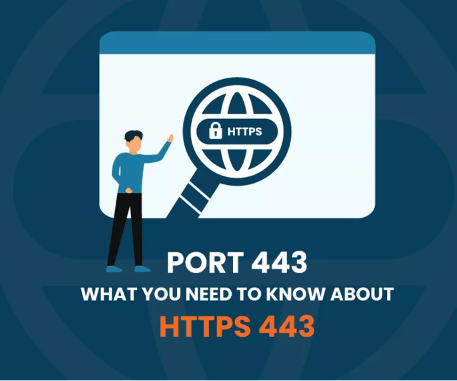
The command sudo ufw allow 443 opens port 443 in the Uncomplicated Firewall (ufw). Port 443 is the standard port used for HTTPS traffic. This means that after running this command, your server will be able to accept HTTPS traffic on port 443.

This is useful if you are running a web server that uses HTTPS, such as Apache or Nginx. HTTPS is a secure protocol that encrypts traffic between the client and the server. This helps to protect your users’ data from being intercepted by third parties.

To use this command, you must have ufw installed and enabled. To install ufw, run the following command:

sudo apt install ufw

To enable ufw, run the following command:

sudo ufw enable

Once ufw is enabled, you can run the command sudo ufw allow 443 to open port 443.

It is important to note that opening port 443 can expose your server to attack. It is important to take steps to protect your server, such as using a web application firewall (WAF) and keeping your server software up to date.

Here are some of the features of the command sudo ufw allow 443:

  • It opens port 443 for incoming traffic, which is necessary for HTTPS and other secure applications.
  • It is a relatively simple command to use, making it easy to configure your firewall.
  • It is a flexible command, allowing you to open port 443 for all traffic or only for specific IP addresses or protocols.

Here are some of the benefits of opening port 443:

  • It allows users to visit your website securely.
  • It allows other secure applications, such as email servers and VPN servers, to function properly.
  • It can improve the performance of your website, as HTTPS connections are faster than HTTP connections.
  • It can help to build trust with users, as it shows that the website is taking security seriously.

However, it is important to weigh the benefits of opening port 443 against the risks. If you are not sure whether or not to open port 443, you should consult with a security expert.

Hi I am Amit Kumar Thakur Experienced as s Software Developer with a demonstrated history of working in the information technology and services industry. Skilled in HTML, CSS, Bootstrap4, PHP, Laravel-9 , REST API,FB API,Google API, Youtube Api, Bitbucket,Github,Linux and jQuery. Strong engineering professional focused in Computer/Information Technology Administration and Management. Currently my profile is to Software Developer, analyze the requirement, creating frame for web application, coding and maintenance.

Related Posts

Create SEO-Friendly Guest Posts Faster Using GuestPostAI

In off-page search engine optimization, acquiring high-quality backlinks through editorial contributions remains an unbeatable tactic for building domain authority and claiming top search engine rankings. When authority…

Read More

Centralize Your Marketing: How WizBrand Combines SEO, DAM, and Influencer Outreach

In today’s hyper-competitive online environment, businesses and agencies often struggle with severe software fragmentation—constantly switching between disconnected tools for keyword research, technical site audits, backlink tracking, project…

Read More

The Ultimate Guide to Invoice and Payment Management Software

Managing cash flow is the heartbeat of any modern business. Yet, for thousands of entrepreneurs, finance teams, and business owners, getting paid on time remains an exhausting,…

Read More

Streamline Your AI Prompts: Why You Need an Advanced Prompt Organizer

As artificial intelligence rapidly transitions from a novelty into the cornerstone of modern business, creative workflows, and software development, the quality of your interaction with Large Language…

Read More

Top Free Posting Sites: The Ultimate Content Publishing Guide

In today’s digital landscape, creating high-quality content is only half the battle; success depends heavily on effective distribution to build reach, authority, and online visibility. However, finding…

Read More

URLSNOW Explained: Automated Broken Link Monitoring and URL Organization

Managing digital links used to be a simple task. You copied a link, pasted it into an email or a social media post, and moved on. But…

Read More
0 0 votes
Article Rating
Subscribe
Notify of
guest
1 Comment
Oldest
Newest Most Voted
Inline Feedbacks
View all comments
trackback

[…] What are the use of this command sudo ufw allow 443 ? […]

1
0
Would love your thoughts, please comment.x
()
x