🚗🏍️ Welcome to Motoshare!

Turning Idle Vehicles into Shared Rides & New Earnings.
Why let your bike or car sit idle when it can earn for you and move someone else forward?

From Idle to Income. From Parked to Purpose.
Earn by Sharing, Ride by Renting.
Where Owners Earn, Riders Move.
Owners Earn. Riders Move. Motoshare Connects.

With Motoshare, every parked vehicle finds a purpose. Partners earn. Renters ride. Everyone wins.

Start Your Journey with Motoshare


How to Install Laravel and Create first View Page in Laravel ?
In this tutorial im going to describe how to install laravel project and create first view pages, so follow some easy steps define below.

First let’s go to install laravel project
Before installation you have to download below software
1. Xampp Download
2. Composer Download

Let's go to install the project first go to your below directory C:\xampp\htdocs and run below code.
composer create-project laravel/laravel learning-project "5.8.*"

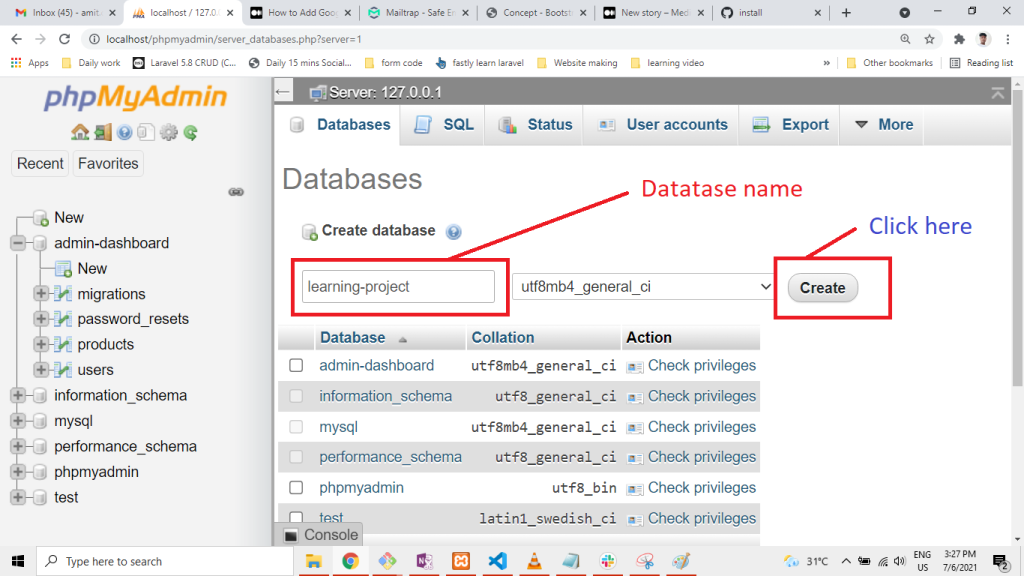
lets go to .env folder and put database name and connect to database.

DB_CONNECTION=mysql
DB_HOST=127.0.0.1
DB_PORT=3306
DB_DATABASE=learning-project
DB_USERNAME=root
DB_PASSWORD=
Now migrate the table
php artisan migrate

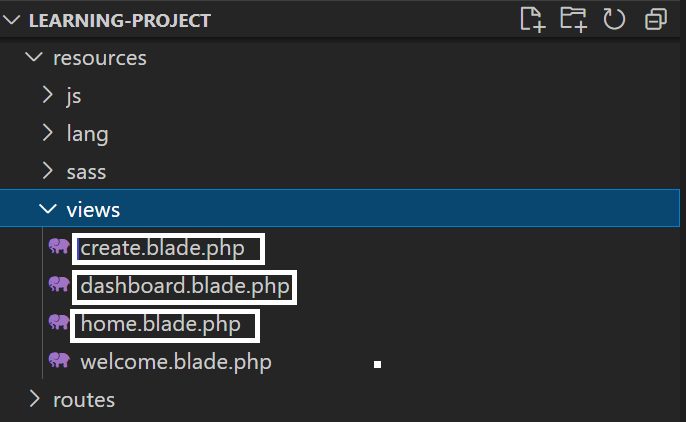
Now Open your project and go to Resouces/view folder and create folllowing files

create.blade.php
dashboard.blade.php
home.blade.php
blog.blade.php
Go to create.blade.php and paste below code

<h1>this is create pages</h1>
Next go to dashboard.blade.php and paste below code

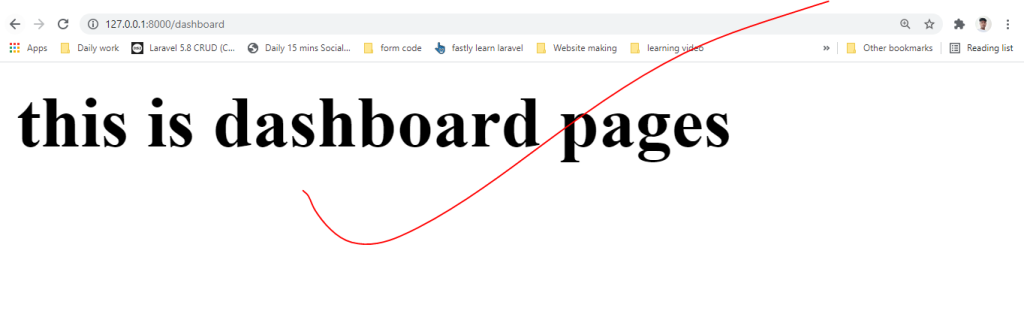
<h1>this is dashboard pages</h1>
Now create blog.blade.php file and paste below lines.

<h1>this is blog pages</h1>
Next go to Route/web.php and add below line

Go to Route/web.php

<?php

/*
|--------------------------------------------------------------------------
| Web Routes
|--------------------------------------------------------------------------
|
| Here is where you can register web routes for your application. These
| routes are loaded by the RouteServiceProvider within a group which
| contains the "web" middleware group. Now create something great!
|
*/

Route::get('/', function () {
    return view('welcome');
});

Route::get('/dashboard', function (){
    return view('dashboard');
});

Route::get('/create', function (){
    return view('create');
});

Route::get('/blog', function (){
    return view('blog');
});

And last one serve below code in your terminal.

php artisan serve
Copy below url and paste in your browser.

http://127.0.0.1:8000/blog
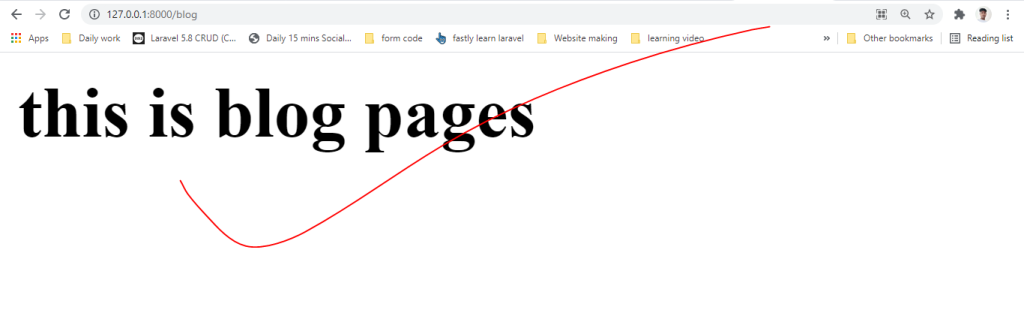
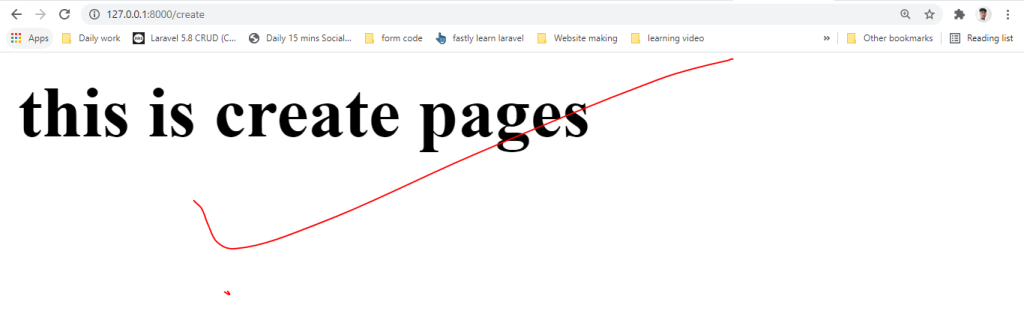
http://127.0.0.1:8000/create

Thank i hope its helpfull for you. 🙏🙏🙏

Hi I am Amit Kumar Thakur Experienced as s Software Developer with a demonstrated history of working in the information technology and services industry. Skilled in HTML, CSS, Bootstrap4, PHP, Laravel-9 , REST API,FB API,Google API, Youtube Api, Bitbucket,Github,Linux and jQuery. Strong engineering professional focused in Computer/Information Technology Administration and Management. Currently my profile is to Software Developer, analyze the requirement, creating frame for web application, coding and maintenance.

Related Posts

DevSecOps Engineer Certification Roadmap

Software security is no longer handled as a separate task at the end of a project. Instead, security is integrated into every step of development and deployment….

Mastering the Certified DevSecOps Architecture: A Simple Professional Guide

Software development used to be a lot simpler. We would build something, test it, and then hand it over to a security team to check. But today,…

The Complete Observability Engineering (MOE) Certification Handbook

The landscape of modern software has moved beyond simple server management. We are now in an era of complex, distributed systems where “it works on my machine”…

HashiCorp Terraform Certification: The Definitive Guide

In the earlier days of cloud computing, managing infrastructure was often an artisan’s job. Each server was hand-crafted, and each network was manually tuned. But as systems…

AI Tools: How They’re Transforming Everyday Work

AI tools have quietly shifted from “nice-to-have” gadgets into everyday infrastructure. They’re no longer just for engineers or big companies with research budgets. Today, students use them…

Kubernetes Security Expert Path: Certified Kubernetes Security Specialist Guide

In the current high-stakes era of digital infrastructure, the ability to deploy a cluster is a commodity, but the ability to defend one is a premium skill….

0 0 votes
Article Rating
Subscribe
Notify of
guest
0 Comments
Oldest
Newest Most Voted
Inline Feedbacks
View all comments
0
Would love your thoughts, please comment.x
()
x